AI Cumshot Generator
Create realistic AI cum video on GenSpicy in seconds. Explore powerful AI tools, flexible styles, and high-quality results with an easy-to-use AI cumshot maker.
Cumshot Video Generation Tips
Best Results
Turn on "Undress" for better results. If it looks wrong retry with it on.
Please select a clear and original waist-up photo of one person facing the camerawith the full face visible.
Please keep the image clean: no face coverings and other people and body parts.
How to create Cumshot Video
- 1.
Select any available template below the generator. The chosen scene will automatically load in the generator.
- 2.
Choose any available add-ons, such as HD, and keep the selected template settings unchanged.
- 3.
You can browse templates without an account. Sign in or create an account when you're ready to generate your video.
Private output. After you generate, the file goes to Collection. It is not posted back onto this page or Explore. Adults only (18+).
Live templates
ExploreWhy Choose Genspicy For AI Cumshot Video Generation

Effortless AI Cumshot Video Creation with Ready-Made Templates
Explore a diverse collection of ready-made AI cumshot video templates for different styles and scenes. Choose a character and template, then let AI handle the creative process. Create polished videos easily without complex editing or professional experience.
Start to Try AI Cum Tribute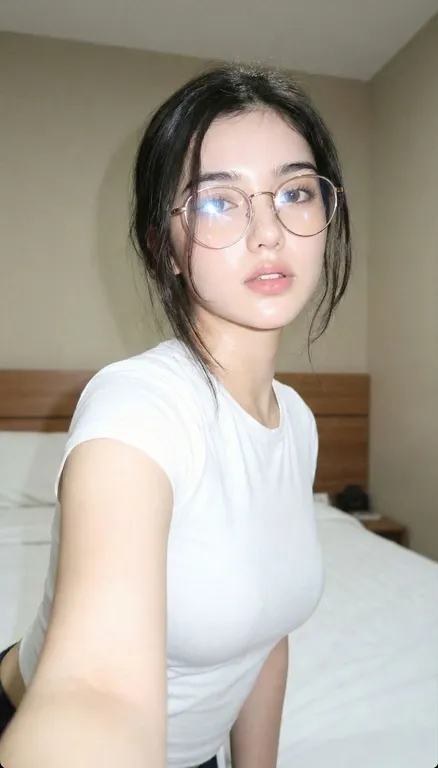
Realistic Results with Intelligent Face Adaptation
AI automatically adapts your character to each selected template. It fine-tunes facial features, proportions, lighting, and composition while preserving key details, helping your character blend naturally into every generated cumshot video.
Start to Try AI Cum Tribute
Create More with HD Customization
Bring your selected photos to life with powerful HD AI cumshot generator. Adjust visual details, refine motion, and experiment with different styles to achieve polished results. Transform your images into engaging AI cumshot videos while AI takes care of the heavy lifting.
Start to Try AI Cum Tribute
Frequently asked questions
How do I use the Genspicy AI Cumshot Generator?
Choose a template, select an eligible character, and start cumshot generation. GenSpicy handles the template adaptation, facial adjustment, and video creation automatically.
Is my data and generated content private?
GenSpicy is designed as a private creative workspace. Users should review the Genspicy's current Privacy Policy and Terms. Realistic AI media can create significant privacy risks when identifiable people are involved, so consent should always be obtained before using another person's likeness.
What makes GenSpicy's AI Cumshot Video Generator different?
GenSpicy focuses on template-based Cumshot video generation and character adaptation rather than simply placing a character into a pre-made video. Its template library gives users more starting points, while facial adaptation helps different character face shapes fit the selected scene more naturally.
Can I create custom characters in the Genspicy's AI Cumshot Maker?
Yes, Genspicy AI Cumshot Creator gives you flexible customization options to create unique digital characters. With AI-powered cumshot video generation, you can create personalized results while keeping each character distinctive and consistent.
How realistic are AI-generated cumshot video?
Powered by advanced AI technology, the generator creates highly realistic cumshot videos with natural textures, accurate visual details, and lifelike motion. High-resolution output helps bring characters and scenes to life with a polished, photorealistic appearance.
How long does it take to generate a cumshot video with the Genspicy AI Cumshot Generator?
Most videos around 8 seconds in length take approximately 3 to 5 minutes to generate, depending on server load and generation complexity. Longer videos may require additional processing time to ensure smooth motion, consistent characters, and high-quality results. Generation times can vary based on the selected template and video settings.